STEM 40403/50203 Creativity and Innovation in STEM Education
This course in technology and engineering education focuses on the development and introduction of technology and engineering-based activities to support science and mathematics instruction in the elementary classroom. Through hands-on, problem based learning challenges, students will develop an understanding of the design process and the integration of science, technology, engineering, and mathematics (STEM) often used to solve real-world problems.
Updated 3-11 – STEM 40403-50203 – Spring 2026 Tentative Course Schedule
Final Exam – Tuesday, May 5 – 11:45 – 1:45
STEM Content Standards
- Arkansas Science Standards
- Standards for Technological and Engineering Literacy (STEL) – The Role of Technology and Engineering in STEM Education
- Arkansas Mathematics Standards
- Additional Arkansas Learning Standards
Course Resources
Writing a STEM Design Brief.doc – Writing a STEM Design Brief.pdf
Performance-Based-Assessment-Guide
Link to MakeyMakey/Scratch Projects
Final Exam – Tuesday, May 5 – 11:45 – 1:45
Week 16
Tuesday, April 28
- 2026 Final Project – Engineering a Play
- Engineering a Play/Puppet Pals
Thursday, April 30
- Engineering a Play Project and Final (Marionette) Development
Week 15
Tuesday, April 21
- MagLev Project Development
- Official Testing – Time, Weight, Cost
Thursday, April 23
- Magleve Testing and Redesign
- MagLev Race Day
Week 14
Tuesday, April 14
- Complete MaKey MaKey Design Challenge
- Moving Along the Tracks PP – Introduction to Magnetic Levitation
- MagLev Design Challenge
- Full Curriculum Unit – Moving Along the Tracks
Thursday, April 16
- MaKey MaKey Design Challenge Presentations at the beginning of class
- MagLev Project Development
Week 13
Tuesday, April 7
- MaKey MaKey Design Challenge Project Development
Thursday, April 9
- MaKey MaKey Design Challenge Project Development
Vaughn Elementary STEM Night – Arrive at 4:30 – Event time – 5:00 to 6:30
Week 12
Tuesday, March 31
- Introduction to the MicroBit and MakeCode
- Introduction to Makey Makey and Scratch Programming
Thursday, April 2
- MaKey MaKey Design Challenge Project Development
- Reading: Remaking Literacy Chapter 6 – Guidance for Implementation – Due Tuesday next week
- Homework – My Geometric Creature – Due Thursday next week.
Week 11 – Spring Break
Week 10
Tuesday, March 17
- Frugal Teacher Assignment Development
- 3D Printing Technology Design Challenge
Thursday, March 19
- Frugal Teacher Presentations
- 3D Printed Creature Presentations
Week 9
Tuesday, March 10
- Frugal Teacher Assignment Development
Thursday, March 12
- Frugal Teacher Assignment Development
Week 8
Tuesday, March 4
- STEAM Night Reflection
- Low-tech vs. Maker Tech –
- STEAM kits (LittleBits)ArtBOT/VibroBOT Challenges
Thursday, March 6
- VibroBOT/ArtBOT Challenge
- Intro to the The Frugal Teacher STEAM Design Challenge
Week 7
Tuesday, February 24
- TinkerCAD Questions
- Getting Ready for Holcomb Elementary STEAM Night
Thursday, February 26
- TinkerCAD Questions
- STEAM Night Prep
Week 6
Tuesday, February 17
Thursday, February 19
- Reading Review – Remaking Literacy Chapter 3 – Thinking and Designing
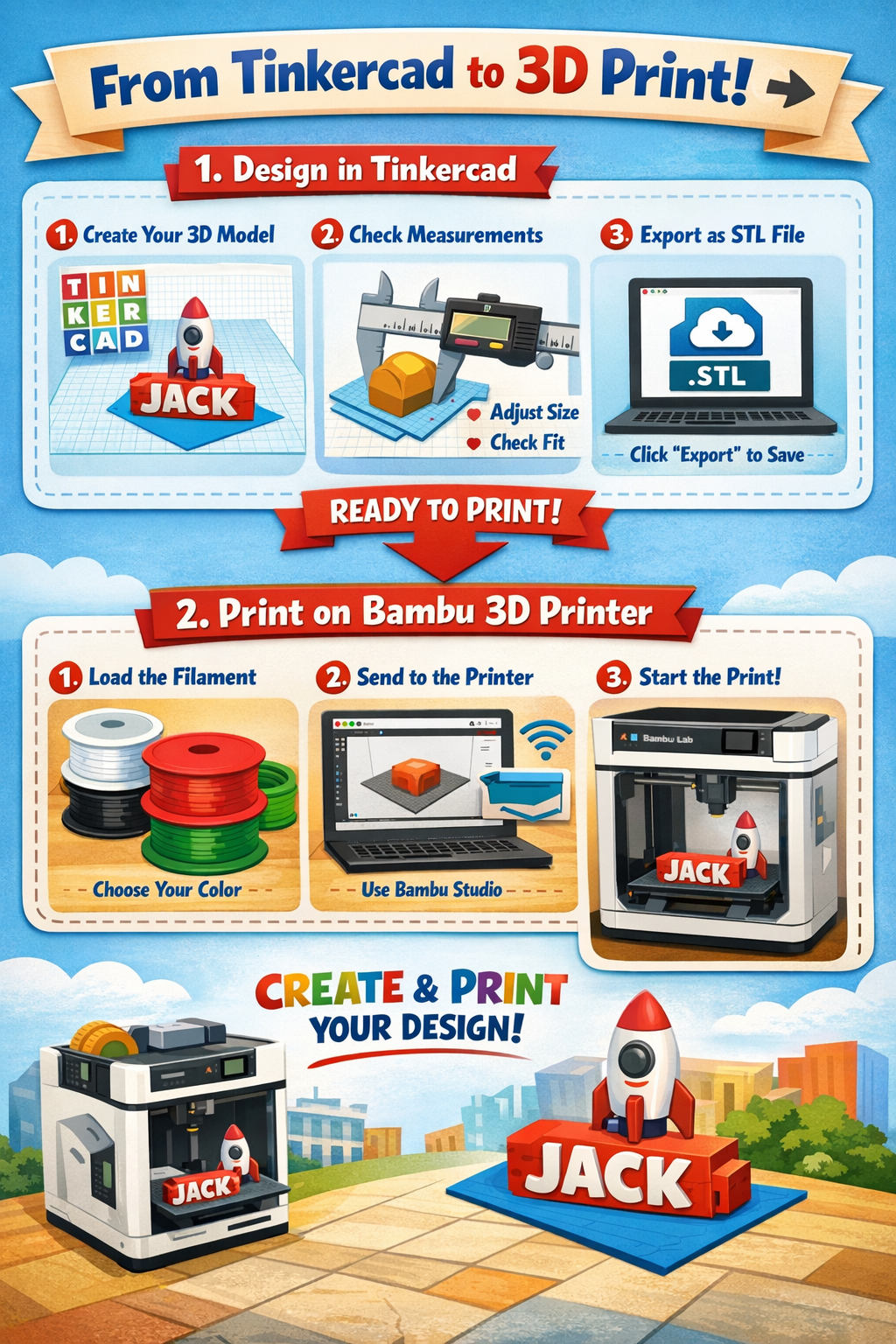
- TinkerCAD
Week 5
Tuesday, February 10
- Glowforge CO2 Laser -Putting it all together
- Complete laser designed Geometric Creature
- Homework: Not a Box Design Challenge
- You will present your completed designs in class on Thursday
- Reading – STEM Integration Through 3D Printing and Modeling
Thursday, February 12
- Not a Box Design Challenge Presentations
- Introduction to TinkerCAD – 3D modeling- Tinker CAD Set-Up and Exercises
- Reading: Remaking Literacy Chapter 3 – Thinking and Designing – After you have read the chapter, use Creative Notetaking to create a visual summary to share with the class. (Due Feb. 19)
Week 4
Tuesday, February 3
- Amazeum Recap
- Reading Review – Remaking Literacy – 1-2
- Geometric Creatures Presentation
- Introduction to the CO2 Laser – Glowforge
Thursday, February 5
- CO2 Laser -Putting it all together
- Homework: Not a Box Design Challenge
- You will present your completed designs in class next Thursday
- Reading: Remaking Literacy Chapter 3 – Thinking and Designing – After you have read the chapter, use Creative Notetaking to create a visual summary to share with the class. (Due Feb. 19)
Week 3
Tuesday, January 27
Happy Snow Day!
- To prepare for using the laser next week, please install Libre Office on your computer – https://www.libreoffice.org/download/download-libreoffice/
- If you have a Windows computer – just select Windows 64 – download and install – then open the program and create a test document.
- If you have a Mac – these directions may be helpful – Installing Libre Office on a Mac
- Preparing for the Amazeum
Thursday, January 30 – Unfieldtrip to the Amazeum – 2:00-4:00pm
- Reading for next week: Remaking Literacy – Chapter 2 – Creative Pathways to Learning
Week 2
Tuesday, January 20
- Complete Take-Apart Challenge (Pictures and sorting loose parts)
- Reading: Remaking Literacy – Introduction and Chapter 1 – What the Research Says
Thursday, January 22
- Teaching Creativity Promoting Creativity in the Classroom PP
- Paper Creatures – Geometric Creatures
Week 1
Tuesday, January 13
- Welcome to STEM 40403-50203 – UASTEM
- Introductions and Syllabus Review
- In-class Introduction Challenge
- Green Screen – YouTube Introduction Video – Due next Tuesday by noon.
- Reading: Remaking Literacy – Introduction and Chapter 1 – What the Research Says – Due before class on Thursday
January 16